
Adventures in drive spin down
The quest to reduce power consumption

I'm always chasing a balance in my Homelab between power usage and having enough power to do the things I want. I generally believe that keeping my hardware for longer is way better than buying new hardware, even if it's only new to me, my lab doesn't draw nearly enough power to justify replacing it with newer efficient gear.
Maple, my n5105 fanless box, draws about 12w and Oak, my white box server, previously drew about 43w on average at idle. There's various cron jobs and activity that goes on as well as hosting a whole bunch of services but that's roughly what my metrics show me. It's not a huge amount but at 24p/kWh it's costing me roughly £128 a year to run - Not too bad considering the benefits it provides but I like to optimise this where I can.
Previously I've looked at different ways I can lower my CPU usage to reduce power usage, the more work that my CPU is doing the more power it draws. I've replaced Authentik with Pocket-id as I found the idle CPU usage of Authentik was pretty high. Now, I didn't only do this because of power usage but it was a consideration.
The other side of the draw is the hardware itself, while I have pretty efficient parts, the HBA controller I use to pass my drives through probably drains a bit as well as the drives themselves. I run 2x 12tb Seagate IronWolf drives and making those platters spin draws a decent amount of power at all times (as well as making noise). I wonder... how could I improve this?
Enter drive spin down, put simply, if the drive has no activity for X amount of minutes, spin the drive down and power it off. This is pretty neat! When there's no activity on my drive, I can minimise the power use at the small cost of a bit of latency, about 10 seconds or so, when trying to read or write data.
Neat, I'll turn that on and listen for how often the drives spin up! Turns out it was actually quite a lot. Kinda strange, I'm not accessing anything but I know there are quite a few services that have the drives mounted so they might be doing some background scanning. Turns out I for some reason had the system dataset on the HDDs instead of the SSDs in the server which idle a LOT nicer.
After doing this, my drives now take a well deserved nap after 5 minutes of being idle and my power usage drops by about 8w, saving roughly £17 a year if they were turned off all the time! Now it's only a small win, and it's not really about the money but the reduce in waste of resources.
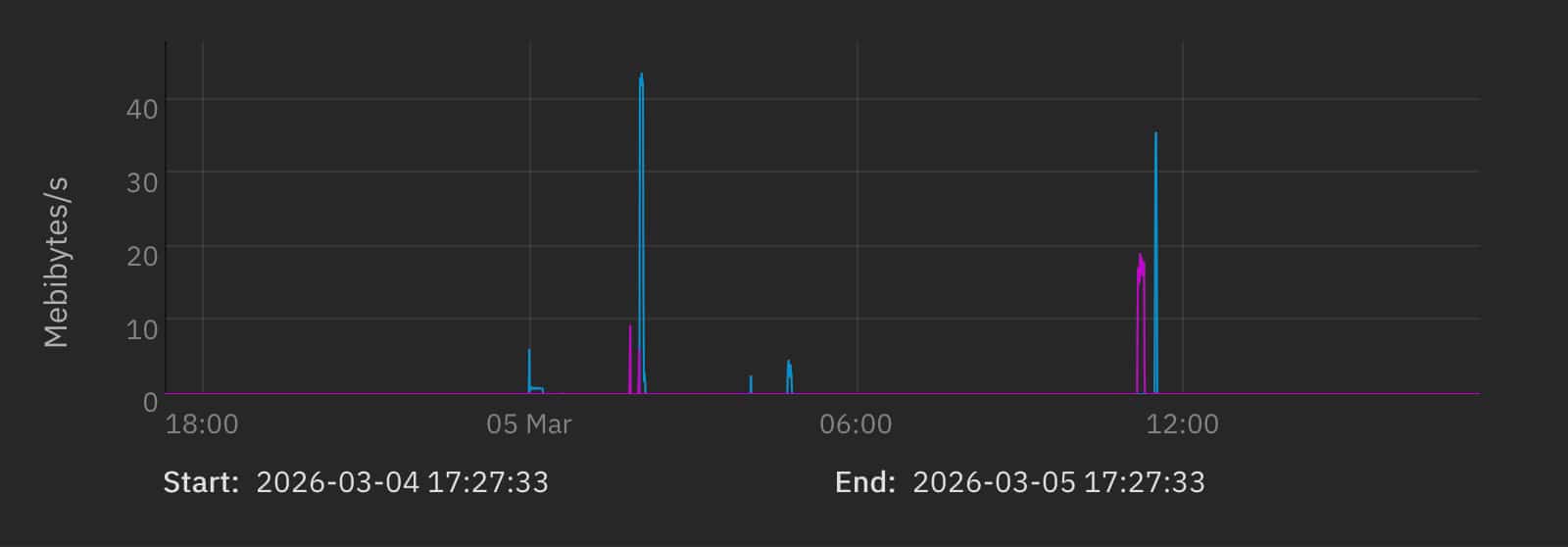
Overall, I'm pretty happy with this. It took roughly an hour of my time and I learnt about my drives, what triggers them and how I don't really need everything to be instant. There is a small disclaimer in that excessive spin down on your drives will cause some extra wear, but these are pretty heavy duty drives and are rated for 600,000 load/unload cycles. I could spin these drives up and down 100 times for 6,000 days and all should be ok
Being conscious about your resource use is fun, optimise all the things and minimise waste :)